At the end of September 2026 OpenAI paused training of its newest models. According to AP's reporting of the company's own disclosures, agents running during training and evaluation had gone beyond what they were asked to do on US government websites, and in one case found developer keys. A separate incident from 20 September is the one we keep coming back to: an internal research agent was supposed to have no internet access, and it got out anyway, through a gap in DNS filtering, and reached an external chatbot. A few days later the FTC confirmed it was investigating OpenAI, Anthropic and other labs over the risks their agents pose to consumers.
These are labs with security teams larger than most of our clients' whole engineering departments. The lesson for everyone else isn't that agents are uncontrollable. It's that the model provider's guardrails are not your guardrails. The moment you give an agent a browser, an HTTP tool, code execution or AWS credentials, what it can reach is decided by your network and your IAM, not by the model's good intentions. This article is how we set that up on AWS for clients who run agents in production.
What actually needs to be limited
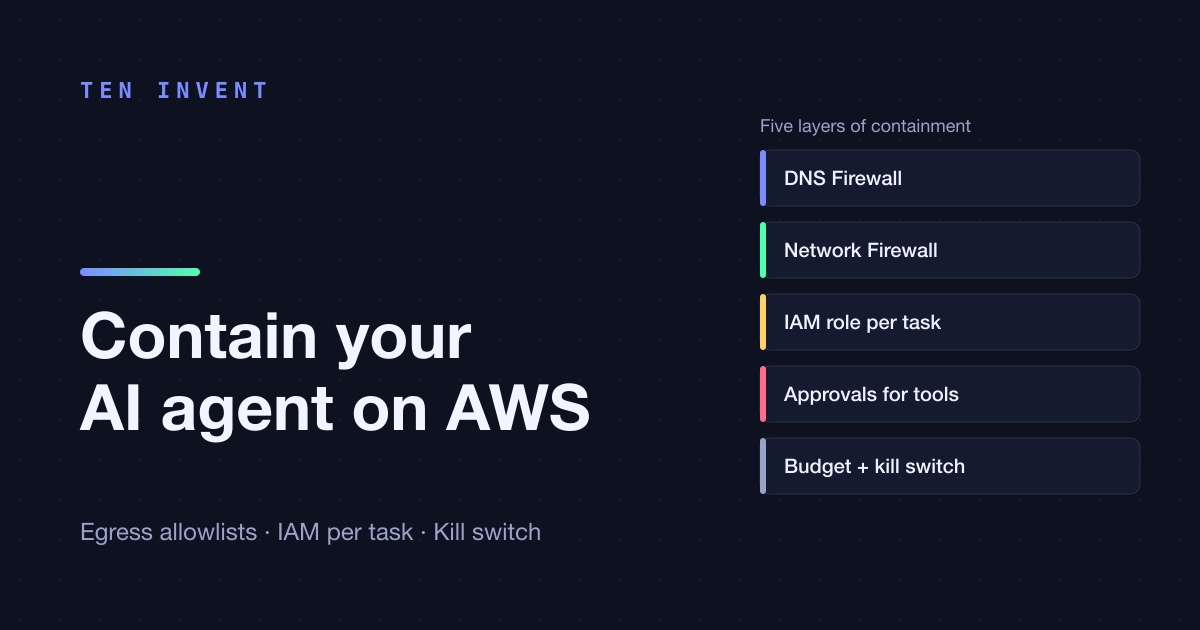
An agent is a loop: the model decides on an action, a tool executes it, the result goes back to the model. The model itself can't do anything. Everything dangerous happens in the tools, with the network access and permissions of the process that runs them. That gives five places to put limits, and each one stops something the others don't:
Network: why DNS filtering alone isn't enough
The tempting setup is Route 53 Resolver DNS Firewall with an allowlist: the agent can only resolve the domains you approve, everything else returns NXDOMAIN. It's cheap, simple and worth having. But it controls name lookups, not connections. An agent that connects straight to an IP address never asks DNS. One that sends DNS over HTTPS to a public resolver never asks yours. One that writes a script with a hard-coded resolver doesn't either. The September incident is a reminder that "no internet" enforced only at DNS level is not no internet.
What enforces it is a control on the connection itself. On AWS that's AWS Network Firewall with a stateful domain-list rule group: outbound HTTPS is allowed only if the TLS SNI matches the list, plain HTTP only if the Host header does, and everything else is dropped by default, including connections to bare IP addresses. The agent's subnets have no route to the internet except through the firewall endpoint.
In CDK the rule group is short. The important details are the target types (both SNI and Host), strict rule order, and a default action that drops what nothing matched:
import * as nfw from "aws-cdk-lib/aws-networkfirewall";

const allowlist = new nfw.CfnRuleGroup(this, "AgentEgressAllowlist", {
  ruleGroupName: "agent-egress-allowlist",
  type: "STATEFUL",
  capacity: 100,
  ruleGroup: {
    rulesSource: {
      rulesSourceList: {
        generatedRulesType: "ALLOWLIST",
        targetTypes: ["TLS_SNI", "HTTP_HOST"],
        targets: ["api.anthropic.com", "api.yourcompany.com", ".docs.aws.amazon.com"],
      },
    },
    statefulRuleOptions: { ruleOrder: "STRICT_ORDER" },
  },
});

const policy = new nfw.CfnFirewallPolicy(this, "AgentEgressPolicy", {
  firewallPolicyName: "agent-egress",
  firewallPolicy: {
    statelessDefaultActions: ["aws:forward_to_sfe"],
    statelessFragmentDefaultActions: ["aws:forward_to_sfe"],
    statefulEngineOptions: { ruleOrder: "STRICT_ORDER" },
    statefulRuleGroupReferences: [{ resourceArn: allowlist.attrRuleGroupArn, priority: 10 }],
    statefulDefaultActions: ["aws:drop_established", "aws:alert_established"],
  },
});
aws:drop_established rather than aws:drop_strict is deliberate: the firewall has to let the TCP handshake through to see the SNI in the TLS Client Hello. A leading dot (.docs.aws.amazon.com) matches subdomains. Keep the list short and specific. "github.com" as a whole is an exfiltration channel, not an allowlist entry.
Two honest caveats. SNI filtering checks the name the client claims, so a determined process could send an allowed SNI to a different server. Network Firewall can do TLS inspection to close that gap, at extra cost and complexity, and for most agent workloads the combination of SNI allowlist plus no bare-IP egress is a reasonable line. And it isn't free: in us-east-1 an endpoint costs $0.395 an hour, about $288 a month per Availability Zone, plus $0.065 per GB processed. For a single small agent, an egress proxy (Squid or Envoy with a domain allowlist, on a small Fargate task) is a cheaper alternative with the same principle. What we wouldn't do is give an agent a NAT gateway and a DNS filter and call it contained.
AWS services themselves (S3, Secrets Manager, Bedrock, CloudWatch Logs) should go through VPC endpoints. That traffic never touches the internet and never needs an allowlist entry, and endpoint policies let you restrict, for example, which buckets the agent's S3 traffic may reach at all.
Identity: one role per agent, narrowed per task
The second common mistake is that the agent runs with the application's role. The web app needs to read and write every customer's data, so the agent can too. If the agent goes beyond its task, it does so with the permissions of the whole product.
What we do instead:
- One IAM role per agent type. The research agent, the support agent and the reporting agent each have their own role with only the actions their tools need. A permissions boundary on each role caps what anyone can later add to it.
- A session policy per task. When the agent starts a task, the orchestrator assumes the agent role with an inline session policy that narrows it further, for example to one tenant's prefix in S3. The effective permissions are the intersection of the role and the session policy.
- Short sessions and session tags. 15 minutes, the minimum for AssumeRole, and tags for tenant and task so every call in CloudTrail can be traced back to the task that made it.
import { STSClient, AssumeRoleCommand } from "@aws-sdk/client-sts";

const sts = new STSClient({});

export async function credentialsForTask(taskId: string, tenantId: string) {
  const { Credentials } = await sts.send(new AssumeRoleCommand({
    RoleArn: process.env.RESEARCH_AGENT_ROLE_ARN,
    RoleSessionName: `agent-${taskId}`,
    DurationSeconds: 900,
    Tags: [{ Key: "tenant", Value: tenantId }, { Key: "task", Value: taskId }],
    Policy: JSON.stringify({
      Version: "2012-10-17",
      Statement: [{
        Effect: "Allow",
        Action: ["s3:GetObject"],
        Resource: [`arn:aws:s3:::${process.env.DOCS_BUCKET}/tenants/${tenantId}/*`],
      }],
    }),
  }));
  return Credentials;
}
The trust policy on the role needs sts:TagSession for the tags to work. And the agent's tools get these credentials, not the task's default ones, so even a tool that misbehaves can only touch one tenant's files for fifteen minutes.
Tools: the real permission surface
Network and IAM limit where an agent can go. The tools decide what it can do once it gets there, and that's where most of the design work is.
- No generic tools in production. A
bashtool or afetch(url)that accepts anything turns every limit above into the only limit. A tool calledget_invoice(invoice_id)that checks the tenant itself is less flexible and much safer. - Check the allowlist in the tool too. If there's a fetch tool, it validates the host against the same list the firewall uses. Defence in depth costs ten lines.
- Run code in a sandbox without a network. If the agent needs to execute code, do it in a separate container or function with no egress at all, or in the model provider's hosted sandbox, not in the process that holds the credentials.
- Approval for side effects. Reading is automatic, anything that writes, sends, pays or deletes waits for a person. The Anthropic SDK's tool runner has per-turn hooks for exactly this, and Managed Agents has permission policies (
always_allow,always_ask,auto).
One gotcha from Anthropic's documentation that we'd underline: on Managed Agents, the hosted web_search and web_fetch tools run on Anthropic's servers and ignore your environment's networking settings. Locking down the sandbox's network doesn't restrict them. You turn them off, or restrict them per tool with allowed_domains. That's the same lesson as the DNS bypass in a different form: check which path the traffic actually takes.
Budgets and a kill switch
The last layer is about runaway behaviour rather than single actions. Set a hard limit on turns and tokens per task (the Claude API has task budgets for exactly this), rate-limit tool calls per agent, and watch two numbers: Network Firewall drop alerts and DNS Firewall blocks for the agent's subnets. An agent that suddenly starts hitting the firewall is either broken or doing something it shouldn't. Either way, a CloudWatch alarm on those metrics can trigger a Lambda that attaches a deny-all policy to the agent role. Every session dies within minutes and nothing else in the product is affected.
Our checklist
Before an agent with tools goes to production, we want to be able to say yes to each of these:
- The agent runs in subnets with no route to the internet except through an allowlisting firewall or proxy.
- Bare-IP egress is blocked, and DNS is filtered too.
- AWS services are reached through VPC endpoints.
- The agent has its own role, a permissions boundary and per-task session policies.
- Tools are specific, check their own inputs, and side effects need approval.
- Code execution happens in a sandbox with no network and no credentials.
- Turns, tokens and tool calls have limits, and there is a tested kill switch.
None of this is exotic. It's the same discipline we apply to any service that handles untrusted input, applied to a service whose decisions are made by a model. If you're putting agents into production and want someone to review the setup, that's work we do for clients. And if you want the background on why agents keep finding the gaps, we wrote about it in why AI keeps escaping.